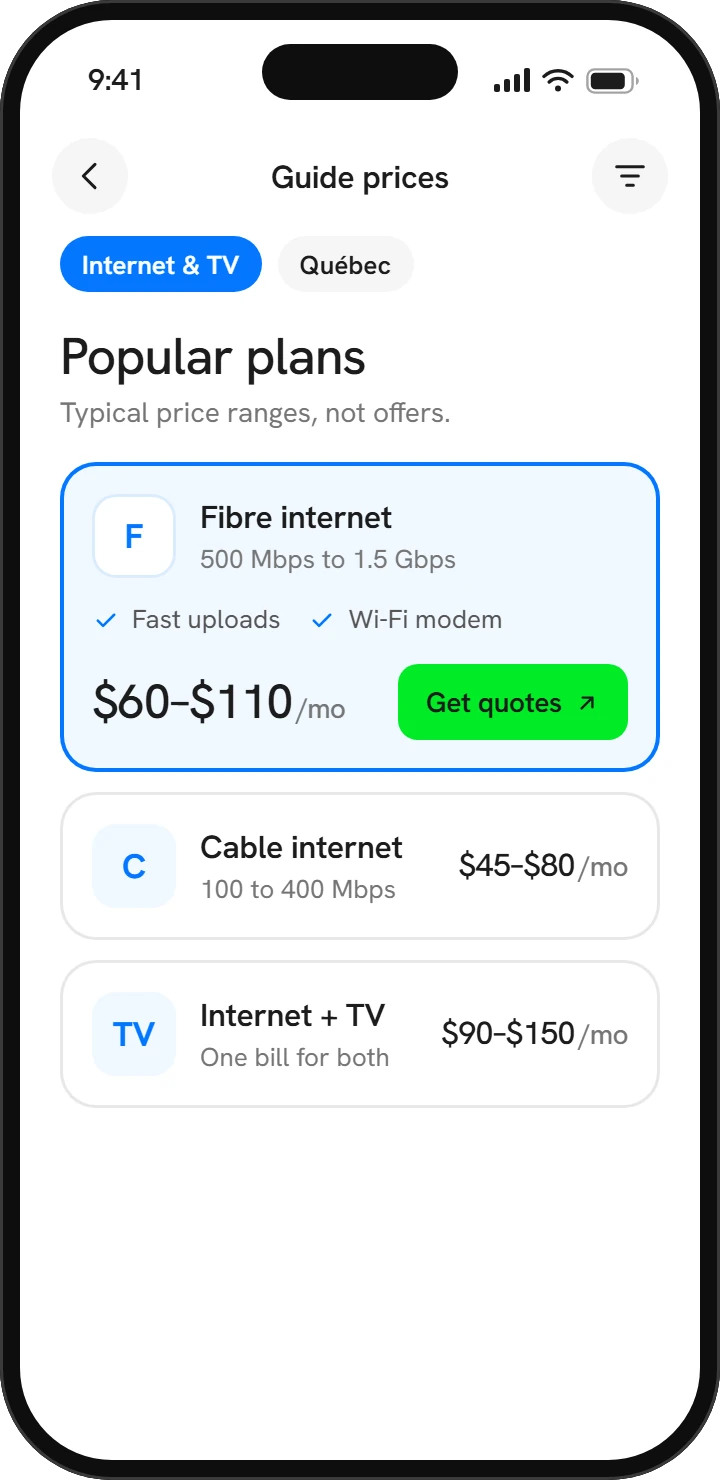
Choosing an internet plan should take an evening, not a weekend. The trick is to start with how your household actually uses the connection, then look past the headline price to what you'll pay over the whole time you keep the plan.
This guide walks through speed, connection types, the real cost of promotions and equipment, and how to switch providers without losing your connection. It applies whether you live in Montréal, Québec City or a smaller town, and whether you want internet on its own or bundled with TV.
How much speed you actually need
Speeds are measured in megabits per second (Mbps). Download speed matters for streaming and browsing. Upload speed matters for video calls, sending large files and backing up photos to the cloud. What really pushes your needs up is how many people and devices are online at the same time, far more than any single activity.
As a rough guide, streaming services typically suggest somewhere around 5 Mbps for each HD stream and roughly 15 to 25 Mbps for each 4K stream. Check the guidance of the services you use, and leave some headroom for phones, updates and everything else running in the background.
| Household | Typical use | What to look for |
|---|---|---|
| One or two people, light use | Browsing, email, one stream at a time | An entry or mid-tier plan is usually plenty |
| Couple or small family | Several streams, video calls, phones and tablets | A mid-tier plan with decent upload speed |
| Busy household or home office | Remote work, gaming, 4K streams, cloud backups | A higher tier, ideally with strong upload |
| Creators and heavy uploaders | Publishing video, moving large files | Upload speed first, which often points to fibre |
If your Wi-Fi feels slow, the plan isn't always the culprit. An old router, a poor spot in the house or thick walls can waste a fast connection. Test with a computer plugged in by cable before you pay for an upgrade.
Fibre, cable, DSL or fixed wireless?
The technology that reaches your door shapes what's possible. Availability depends on your exact address, so two neighbours on the same street may see different options.
| Type | How it works | Strengths | Watch for |
|---|---|---|---|
| Fibre | Light signals over glass fibre, often right to the home | Fast, with upload speeds that are usually equal or close to download | Not available everywhere yet; installation can take longer |
| Cable | The coaxial network originally built for TV | Widely available, with fast download speeds | Upload is typically much lower than download; can slow at busy times |
| DSL | Copper phone lines | Available in many areas without fibre or cable | Speed drops the farther you are from the provider's equipment |
| Fixed wireless | An antenna on your home links to a nearby tower | A practical option in many rural areas | Needs a clear line of sight; trees and weather can affect it |
Satellite service is another choice in remote areas, and newer low-orbit systems have improved speeds considerably. Compare its monthly price, equipment cost and any usage limits against whatever else is available where you live.
The price you'll really pay
Many plans are advertised at a promotional price that lasts a set number of months. After that, the bill moves to the regular rate, which can be noticeably higher. Always ask what the regular price is and exactly when it starts.
- Regular price after the promo. Work out the total cost over two years, not just the first month.
- Installation or activation fees. Some are waived with a promotion and some aren't. Ask for them in writing.
- Equipment. Find out whether the modem and router are rented monthly, included, or yours to buy, and whether you can use your own compatible router.
- Data caps. Many plans today include unlimited usage, but some still have a monthly cap with overage charges. Confirm which applies to yours.
- Contract length. A fixed term can come with a lower price but may involve fees if you leave early. A no-term plan gives you the freedom to go.
- Taxes and recurring fees. Add GST and QST, and ask about any monthly fees that don't appear in the ad.
Bundles and TV: when they make sense
Bundling internet with TV or a home phone can lower the combined price, and one bill is simpler. But a bundle only saves money if you'd use every part of it. Price each service separately, then compare that total with the bundle, including what each price becomes once promotions end.
If you mostly watch streaming apps, internet on its own plus a couple of subscriptions may cost less than a traditional TV package. If you want live sports or local channels, CRTC rules require TV providers to offer a small basic package and let you add channels individually or in small groups, so you don't need a big package for a few favourites.
Think about leaving, too. Dropping one part of a bundle can raise the price of what remains, so ask how pricing changes if you cancel TV or phone later. Reviewing your mobile plan at the same time? See how much mobile data you really need.
Questions to ask before you sign
- Is this service available at my exact address, and which technology delivers it?
- What are the download and upload speeds, and what should I expect at busy times?
- What is the promotional price, how long does it last, and what is the regular price after?
- Is there a contract? If so, how long is it, and what does it cost to leave early?
- Are there installation, activation or equipment fees?
- Is the modem or router rented, included or purchased, and must I return it if I leave?
- Is there a monthly data cap, and what happens if I go over?
- If I cancel one service in a bundle, how does the price of the others change?
- Can I get a written summary of everything we agreed to?
The CRTC's Internet Code sets out consumer protections for services from large providers, and Québec's Office de la protection du consommateur publishes plain-language information on service contracts. Both are worth a look if something in your agreement is unclear.
How to switch without losing your connection
- Check your current terms. Look up any remaining contract, cancellation fees and how much notice your provider needs to close the account.
- Order the new service first. Book installation for a day when someone can be home, ideally a few days before the old service ends.
- Test the new connection. Make sure speeds are what you expected and every device reconnects. Reusing your old Wi-Fi name and password saves reconnecting everything by hand.
- Cancel the old service. Do it only once the new one works, and note the date, the agent's name and any confirmation number.
- Return rented equipment. Keep the receipt or tracking number so you're never billed for a modem you already sent back.
- Check your final bill. Look for prorated charges or fees you didn't expect, and question anything that doesn't match what you were told.
Moving at the same time? Book your transfer or new installation weeks ahead, because appointments can fill up quickly around busy moving periods. Our moving day checklist covers the rest of the timeline.
Find plans available at your address
Answer four quick questions about your household, leave your contact details, and one partner provider will contact you with internet and TV offers that fit. Free, with no obligation.
Take the internet quizCompare Internet & TV
Answer four quick questions and partner providers will come back with internet and TV offers that fit your home, your habits and your budget.
Start comparing